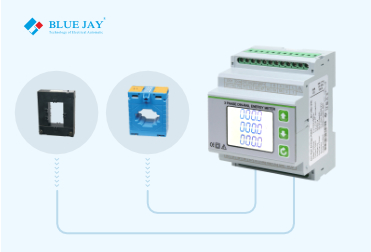
How to Set CT Ratio in Energy Meter?
By bluejay | Company News
Abstract: Excepts for how to set CT Ratio in energy meter, this article will introduce energy meter CT ratio from definition, and how to calculate ct ratio in energy meter.
What Is Current Transformer Ratio?
The current transformer CT ratio, also known as the turns ratio or transformation ratio, refers to the ratio of the number of primary turns to the number of secondary turns in a current transformer. It is a key parameter that defines the relationship between the current in the primary winding (the side connected to the circuit carrying the actual current) and the current in the secondary winding (the side connected to the measuring or protective device).
Adjusting the CT Ratio for Smaller Current Measurements
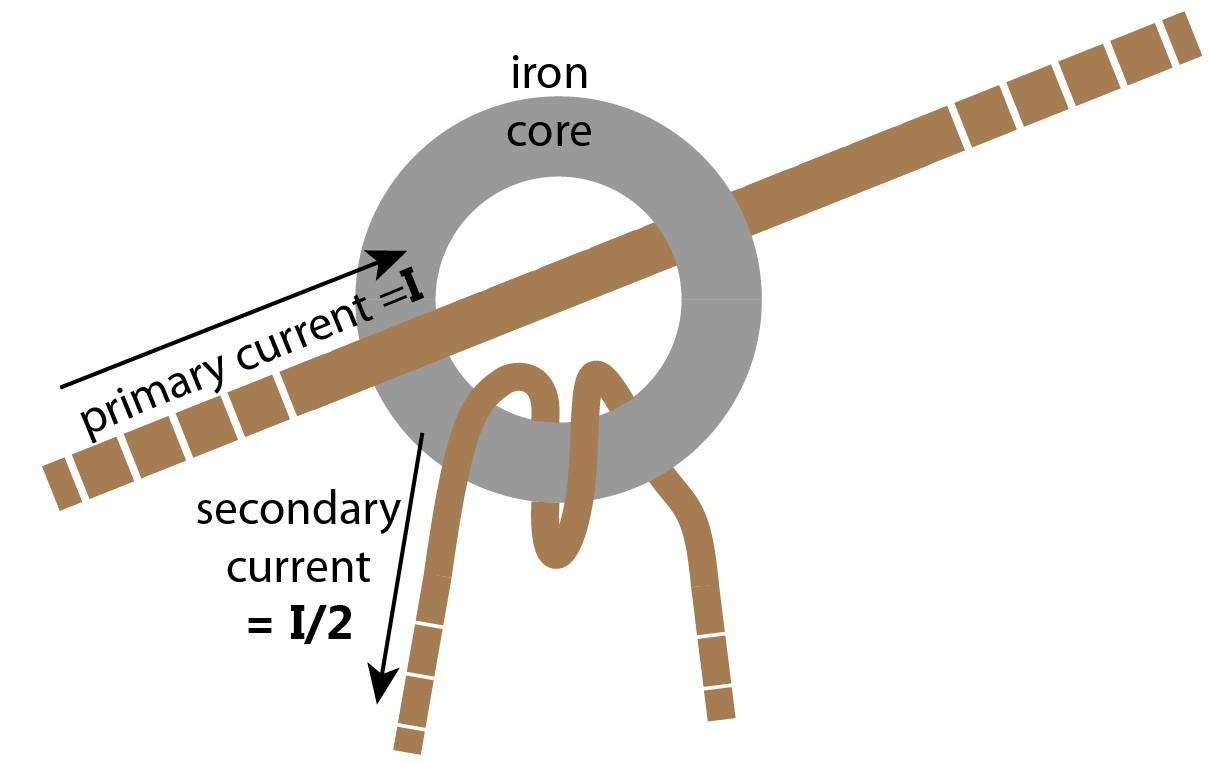
The nominal ratio of a CT, such as 100:5A, indicates the relationship between the primary current (100A) and the secondary current (5A). However, if you need to measure smaller currents, the primary current can be reduced by winding the conductor through the CT multiple times.
For instance, if you winding the wire one turn to through the CT, the primary current is effectively halved, and the ratio becomes 50:5A. If further reduction is needed, you can wind the wire through the CT again, adjusting the ratio to 25:5A. This method allows for flexibility in measuring varying current levels using the same CT, without needing to replace the transformer.
How To Calculate CT Ratio In Energy Meter?
The CT ratio of energy meter is expressed as a numerical ratio, typically in the form of N1/N2, where:
N1 is the principal winding’s number of turns.
N2 is the secondary winding’s number of turns.
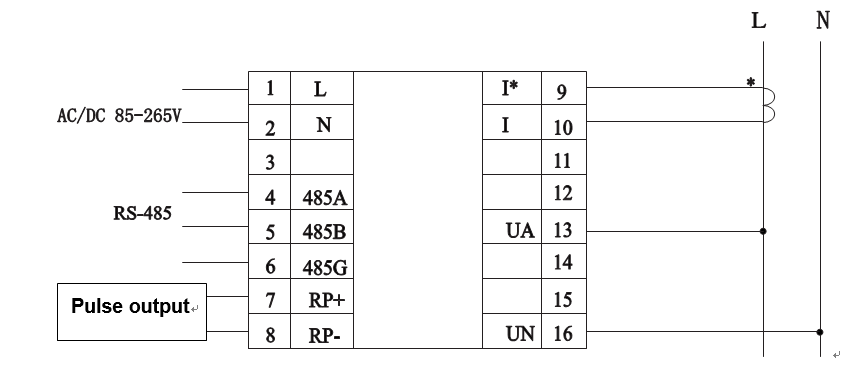
The CT ratio of the energy meter determines how much the current is reduced from the primary side to the secondary side. If the primary side cable passes through the center hole of the transformer only once, the current transformer ratio of the energy meter can be calculated directly based on the rated current on the transformer nameplate. For example, if the current transformer nameplate indicates 100/5A, then the CT ratio of the energy meter should be 20 (CT ratio=100/5A). The CT with a ratio of 100:5 means that for every 100 amperes of current in the primary winding, there will be 5 amperes of current in the secondary winding.
During installation, if the primary side cable is wound multiple times inside the center hole of the current transformer, the actual transformation ratio will change.
Actual CT ratio of energy meter = Nameplate primary current / (Secondary current * Number of turns)
Note: The number of turns refers to the number of times the wire passes through the center hole. One pass through counts as one turn, and passing the wire through it twice after one full turn counts as two turns.
For example: The current transformer nameplate indicates 100/5A, but the wire is wound two times inside the hole: Actual CT ratio of energy meter = 100 / (5 * 2) = 10. The ratio is 10, not the 20 stated on the nameplate.
How to Set CT Ratio in Energy Meter?
Setting the current transformer (CT) ratio in your electricity meter is a crucial step in ensuring accurate electricity billing. Incorrect settings will result in the displayed electricity consumption deviating significantly from actual usage. The general steps for setting the CT ratio are as follows:
Step 1: Confirm the transformer ratio Before setting, you need to check the nameplate on the current transformer installed on the cable. Common specifications: For example, 100/5A, 200/5A, or 400/1A. Calculate the ratio: If it’s 100/5A, the ratio is 20. If it’s 200/5A, the ratio is 40.
Step 2: Enter the meter programming mode The operation path may vary slightly between different brands of meters, but the logic is basically the same: First, unlock/enter the menu by pressing the “Confirm” or “SET” button, then enter the password (the manufacturer’s initial password is usually 0000, 0001, or 1111), and finally find the CT parameter item.
Step 3: Modify CT Values. After entering the CT settings, there are generally two methods: The first method is to directly input the ratio, for example, if the transformer is 100/5A, directly change the value to 20. The second method is to set the primary and secondary currents, for example, if the transformer is 100/5A, set CT1 (primary current) to 100 and CT2 (secondary current) to 5. Blue Jay meters need to set the secondary current and the meter’s CT ratio.
Step 4: Save the data.
Take APM-96Q Multi-Function Meter As An Example:
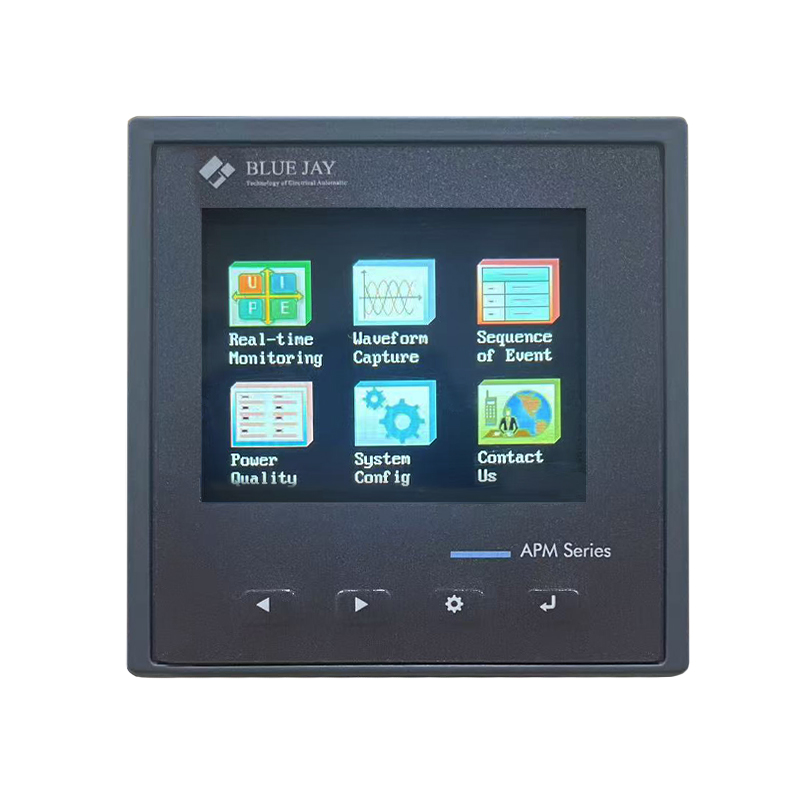
APM-96Q Multifunctional power meter
It is equipped with the function of total maximum demand. Features: Real-time Monitoring for current, energy, max demand, etc. Waveform Capture for current and voltage analysis. Power quality analysis & harmonic analysis.
To complete these steps, you will need a meter that ensures it is safely powered on
The SETUP procedure of the BJ-APM-96Q ‘s CT Ratio is performed by means of several SETUP options. To prevent unauthorized access to the Setup menu, there is a password. Use the keyboard to pick options and enter necessary variables once you’re in the Setup menu.
Step 1: Press SET button in any of the monitor screen page can call out the password screen
Put in the standard password 0001 has access to the menu for configuration.
Step 2: There are 9 sub-menus for meter configuration:
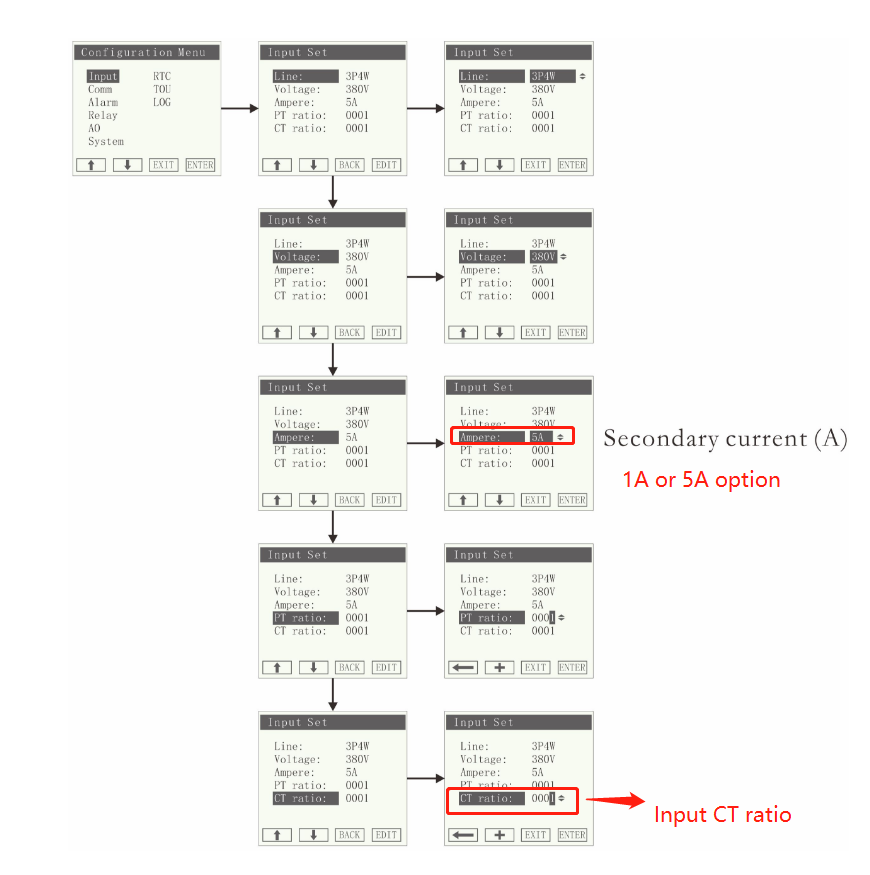
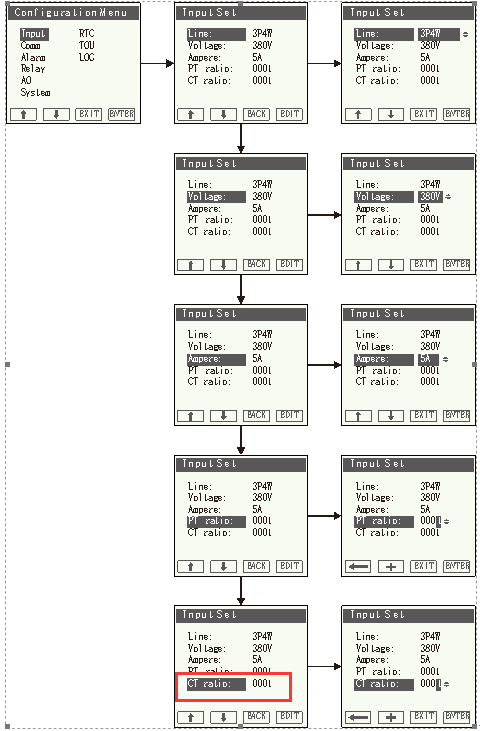
Then to select “Input” , Input configuration include: basic settings of signal access , press enter to configure the sub-meun.
Step 3: Enter the input setting interface, press the button, and select the CT ratio submenu to set value. Default 1, customers can set it according to their actual needs, the setting range is 0-9999
Step 4: Current Transformer Settings Configuration
After ensuring the accuracy of the current transformer settings, proceed to save the configurations by clicking the green “Save” button located at the bottom of the screen. Please note that for these settings to become operational, a module restart is necessary.
A prompt will appear, offering the options to either “Restart Now” or “Restart Later.” Opting for “Restart Later” requires initiating the module reboot from the “Management” tab (Settings > Management).
Step 5: Immediate Restart
By selecting “Restart Now,” the module will promptly commence the reboot process.
Step 6: Restart Process Duration
The restart process typically spans 1-2 minutes. Upon its completion, you can log back in to verify the implementation of the configured settings. Follow the same login procedure outlined in Step 1, and navigate to Settings > Meter > General to review the settings.
Step 7: Confirmation and Conclusion
Once the settings are confirmed, you may choose to log out, concluding the comprehensive process of adjusting the Current Transformer Ratio.
That’s all about how to set ct ratio for energy meter. If you want to know more about our energy meter CT ratio, please contact us.
Recommended Energy Meter Connected with CT
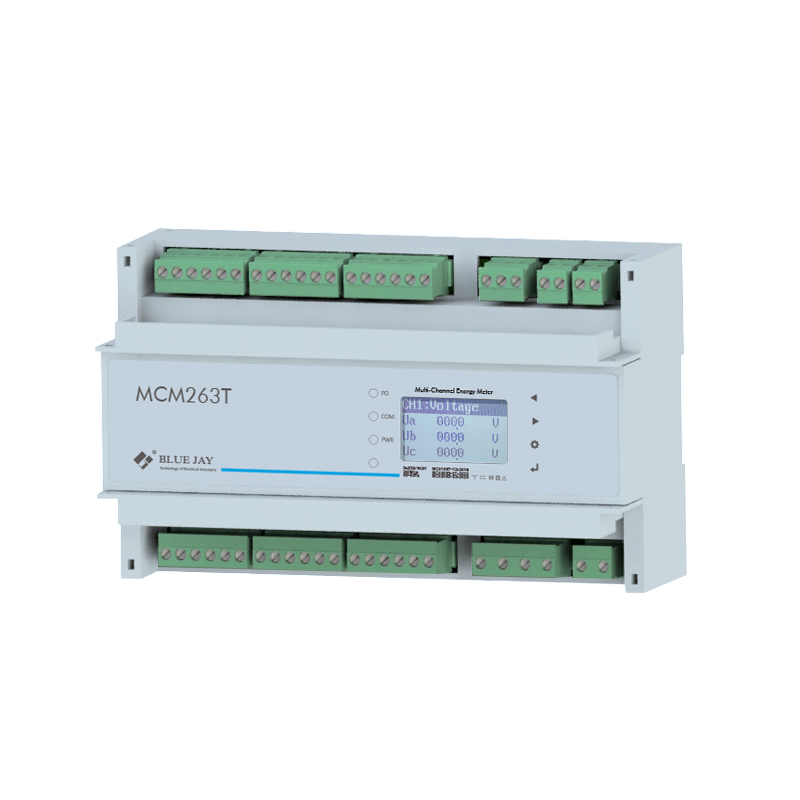
MCM263T 6 Channel CT Energy Meter
The MCM263T is a 6-channel energy meter, installed with CT.
Up to 6 or 18 branch circuit metering
Multi-communication Port & Multi-protocol Supported
Mult-combination of Input/Output
related articles
CT Energy Meter VS Standard energy meter – What Is the Difference?
The difference between a CT energy meter and a
Tags
Company News
Abstract: Excepts for how to set CT Ratio in energy meter, this article will introduce energy meter CT ratio from definition, and how to calculate ct ratio in energy meter.
What Is Current Transformer Ratio?
The current transformer CT ratio, also known as the turns ratio or transformation ratio, refers to the ratio of the number of primary turns to the number of secondary turns in a current transformer. It is a key parameter that defines the relationship between the current in the primary winding (the side connected to the circuit carrying the actual current) and the current in the secondary winding (the side connected to the measuring or protective device).
Adjusting the CT Ratio for Smaller Current Measurements
The nominal ratio of a CT, such as 100:5A, indicates the relationship between the primary current (100A) and the secondary current (5A). However, if you need to measure smaller currents, the primary current can be reduced by winding the conductor through the CT multiple times.
For instance, if you winding the wire one turn to through the CT, the primary current is effectively halved, and the ratio becomes 50:5A. If further reduction is needed, you can wind the wire through the CT again, adjusting the ratio to 25:5A. This method allows for flexibility in measuring varying current levels using the same CT, without needing to replace the transformer.
How To Calculate CT Ratio In Energy Meter?
The CT ratio of energy meter is expressed as a numerical ratio, typically in the form of N1/N2, where:
N1 is the principal winding’s number of turns.
N2 is the secondary winding’s number of turns.
The CT ratio of the energy meter determines how much the current is reduced from the primary side to the secondary side. If the primary side cable passes through the center hole of the transformer only once, the current transformer ratio of the energy meter can be calculated directly based on the rated current on the transformer nameplate. For example, if the current transformer nameplate indicates 100/5A, then the CT ratio of the energy meter should be 20 (CT ratio=100/5A). The CT with a ratio of 100:5 means that for every 100 amperes of current in the primary winding, there will be 5 amperes of current in the secondary winding.
During installation, if the primary side cable is wound multiple times inside the center hole of the current transformer, the actual transformation ratio will change.
Actual CT ratio of energy meter = Nameplate primary current / (Secondary current * Number of turns)
Note: The number of turns refers to the number of times the wire passes through the center hole. One pass through counts as one turn, and passing the wire through it twice after one full turn counts as two turns.
For example: The current transformer nameplate indicates 100/5A, but the wire is wound two times inside the hole: Actual CT ratio of energy meter = 100 / (5 * 2) = 10. The ratio is 10, not the 20 stated on the nameplate.
How to Set CT Ratio in Energy Meter?
Setting the current transformer (CT) ratio in your electricity meter is a crucial step in ensuring accurate electricity billing. Incorrect settings will result in the displayed electricity consumption deviating significantly from actual usage. The general steps for setting the CT ratio are as follows:
Step 1: Confirm the transformer ratio Before setting, you need to check the nameplate on the current transformer installed on the cable. Common specifications: For example, 100/5A, 200/5A, or 400/1A. Calculate the ratio: If it’s 100/5A, the ratio is 20. If it’s 200/5A, the ratio is 40.
Step 2: Enter the meter programming mode The operation path may vary slightly between different brands of meters, but the logic is basically the same: First, unlock/enter the menu by pressing the “Confirm” or “SET” button, then enter the password (the manufacturer’s initial password is usually 0000, 0001, or 1111), and finally find the CT parameter item.
Step 3: Modify CT Values. After entering the CT settings, there are generally two methods: The first method is to directly input the ratio, for example, if the transformer is 100/5A, directly change the value to 20. The second method is to set the primary and secondary currents, for example, if the transformer is 100/5A, set CT1 (primary current) to 100 and CT2 (secondary current) to 5. Blue Jay meters need to set the secondary current and the meter’s CT ratio.
Step 4: Save the data.
Take APM-96Q Multi-Function Meter As An Example:
APM-96Q Multifunctional power meter
It is equipped with the function of total maximum demand. Features: Real-time Monitoring for current, energy, max demand, etc. Waveform Capture for current and voltage analysis. Power quality analysis & harmonic analysis.
To complete these steps, you will need a meter that ensures it is safely powered on
The SETUP procedure of the BJ-APM-96Q ‘s CT Ratio is performed by means of several SETUP options. To prevent unauthorized access to the Setup menu, there is a password. Use the keyboard to pick options and enter necessary variables once you’re in the Setup menu.
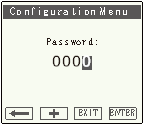
Step 1: Press SET button in any of the monitor screen page can call out the password screen
Put in the standard password 0001 has access to the menu for configuration.
Step 2: There are 9 sub-menus for meter configuration:
Then to select “Input” , Input configuration include: basic settings of signal access , press enter to configure the sub-meun.
Step 3: Enter the input setting interface, press the button, and select the CT ratio submenu to set value. Default 1, customers can set it according to their actual needs, the setting range is 0-9999
Step 4: Current Transformer Settings Configuration
After ensuring the accuracy of the current transformer settings, proceed to save the configurations by clicking the green “Save” button located at the bottom of the screen. Please note that for these settings to become operational, a module restart is necessary.
A prompt will appear, offering the options to either “Restart Now” or “Restart Later.” Opting for “Restart Later” requires initiating the module reboot from the “Management” tab (Settings > Management).
Step 5: Immediate Restart
By selecting “Restart Now,” the module will promptly commence the reboot process.
Step 6: Restart Process Duration
The restart process typically spans 1-2 minutes. Upon its completion, you can log back in to verify the implementation of the configured settings. Follow the same login procedure outlined in Step 1, and navigate to Settings > Meter > General to review the settings.
Step 7: Confirmation and Conclusion
Once the settings are confirmed, you may choose to log out, concluding the comprehensive process of adjusting the Current Transformer Ratio.
That’s all about how to set ct ratio for energy meter. If you want to know more about our energy meter CT ratio, please contact us.
Recommended Energy Meter Connected with CT
MCM263T 6 Channel CT Energy Meter
The MCM263T is a 6-channel energy meter, installed with CT.
Up to 6 or 18 branch circuit metering
Multi-communication Port & Multi-protocol Supported
Mult-combination of Input/Output
related articles


CT Energy Meter VS Standard energy meter – What Is the Difference?
The difference between a CT energy meter and a